
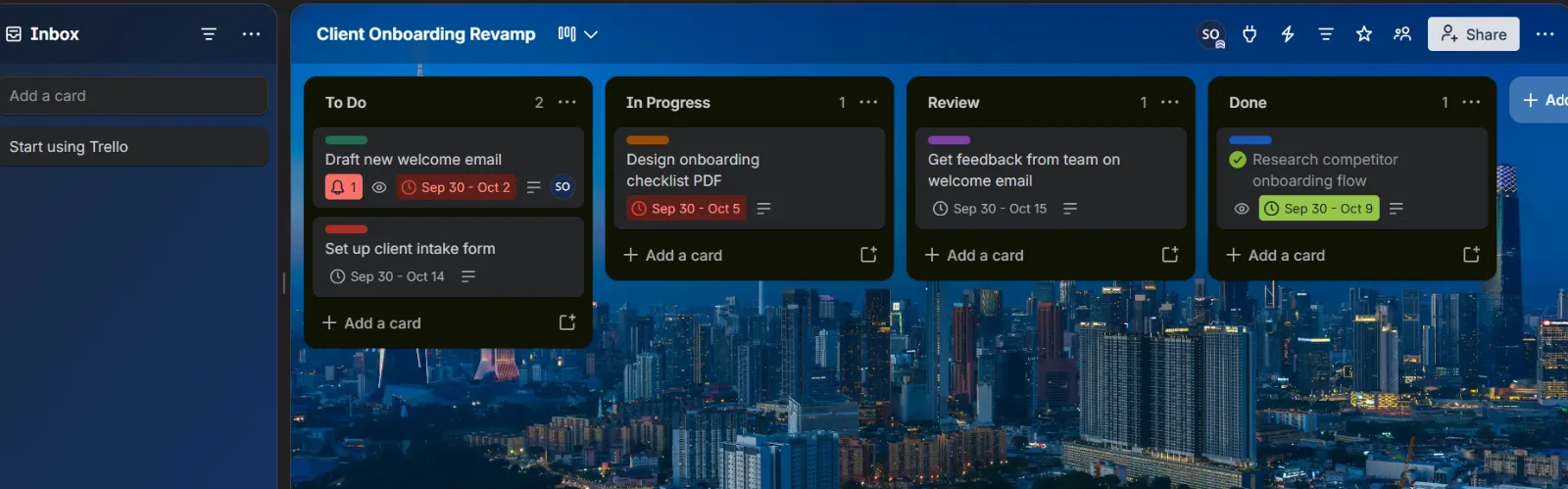
Client Onboarding Workflow
I built a Trello board to organize a client onboarding from start to finish. Tasks move through To Do, In Progress, Review, and Done, each with a due date and priority, so nothing slips through the cracks.
Hi, I'm Olaye Success
I help founders, entrepreneurs, and business owners keep their inbox, calendar, and data organized. I handle email management, scheduling across time zones, and data entry, with fast replies and clear communication. I handle the details that keep your day running smoothly, giving you more time to focus on your priorities and grow your business.
Benin City, Nigeria. WAT (UTC+1)


I'm Olaye, an Administrative Virtual Assistant. I support business owners and entrepreneurs with email management, calendar scheduling across time zones, appointment coordination, and data entry.
I work with tools such as Google Workspace, Trello, Notion, Calendly, Slack, and Canva to help keep tasks organized and daily operations running smoothly. I'm organized, detail oriented, and committed to clear communication.
If you are looking to spend less time on administrative tasks and more time growing your business, I'd be glad to support you.
I help organize your inbox, sort emails by priority, flag important messages, and draft replies for your approval so you can stay on top of your communications.
I assist with scheduling meetings, coordinating appointments across time zones, sending calendar invitations, and keeping your schedule organized to avoid double-bookings.
I support daily operations through accurate data entry, document organization, record keeping and task tracking so important information stay organized and accessible.
I built a Trello board to organize a client onboarding from start to finish. Tasks move through To Do, In Progress, Review, and Done, each with a due date and priority, so nothing slips through the cracks.
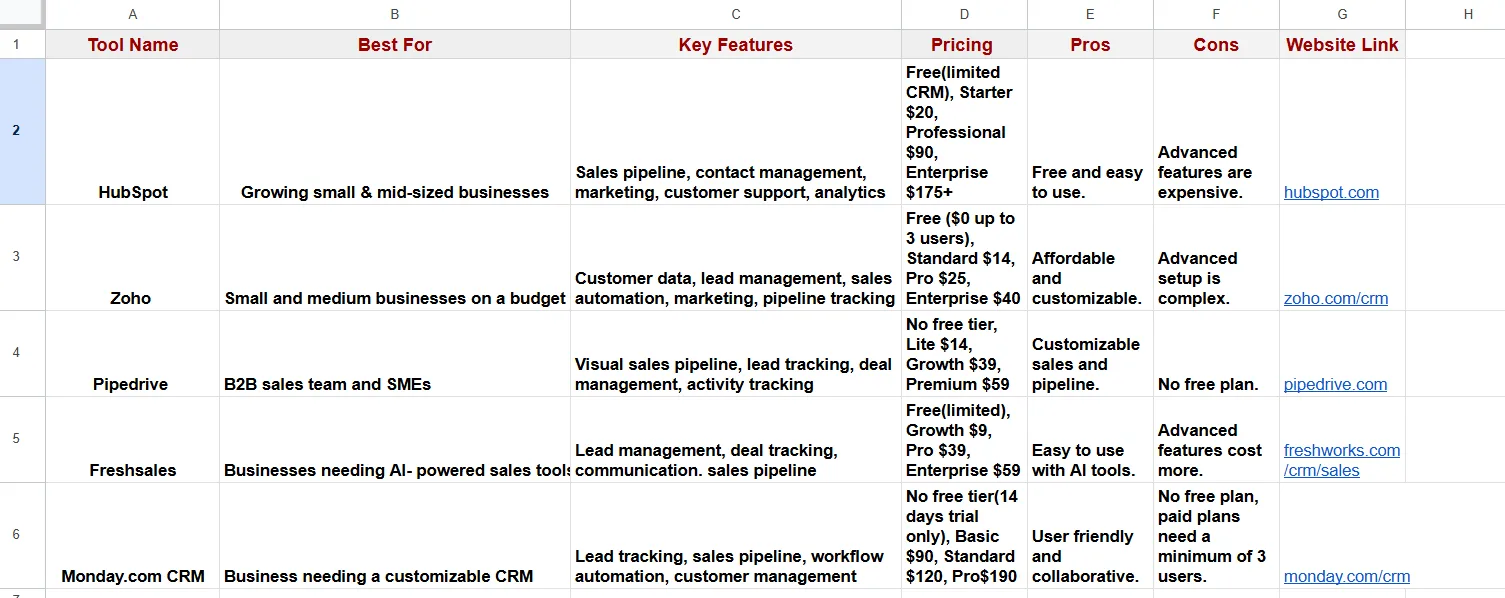
I researched 5 popular CRM tools and compared them in a Google Sheet. For each tool I listed who it is best for, key features, pricing, pros, cons, and a website link, so a business owner can choose quickly.
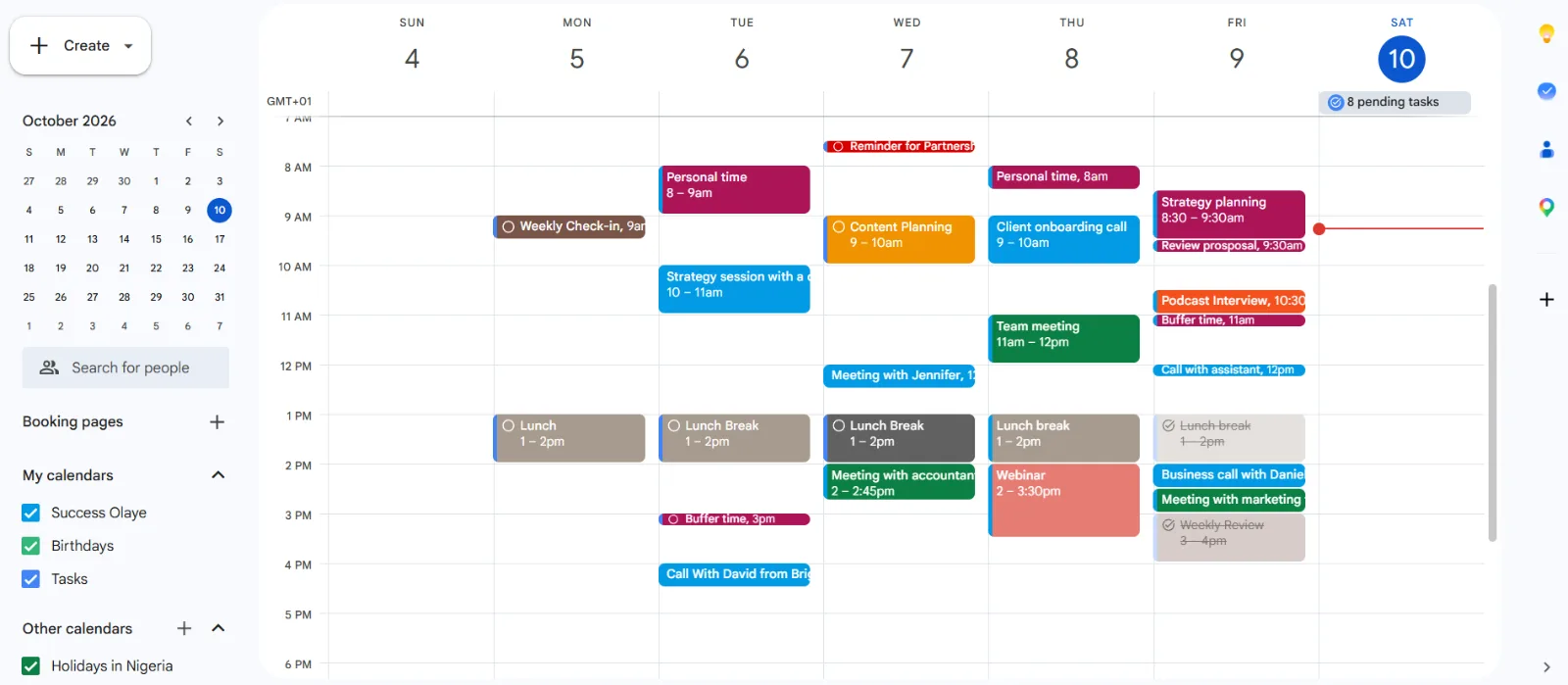
I organized a full work week in Google Calendar for a busy business owner. I colour-coded meetings, client calls, planning sessions, buffer time, and breaks, so the week is easy to read, and nothing overlaps.
Tell me what's eating your week and I'll show you how I'd take it off your plate.