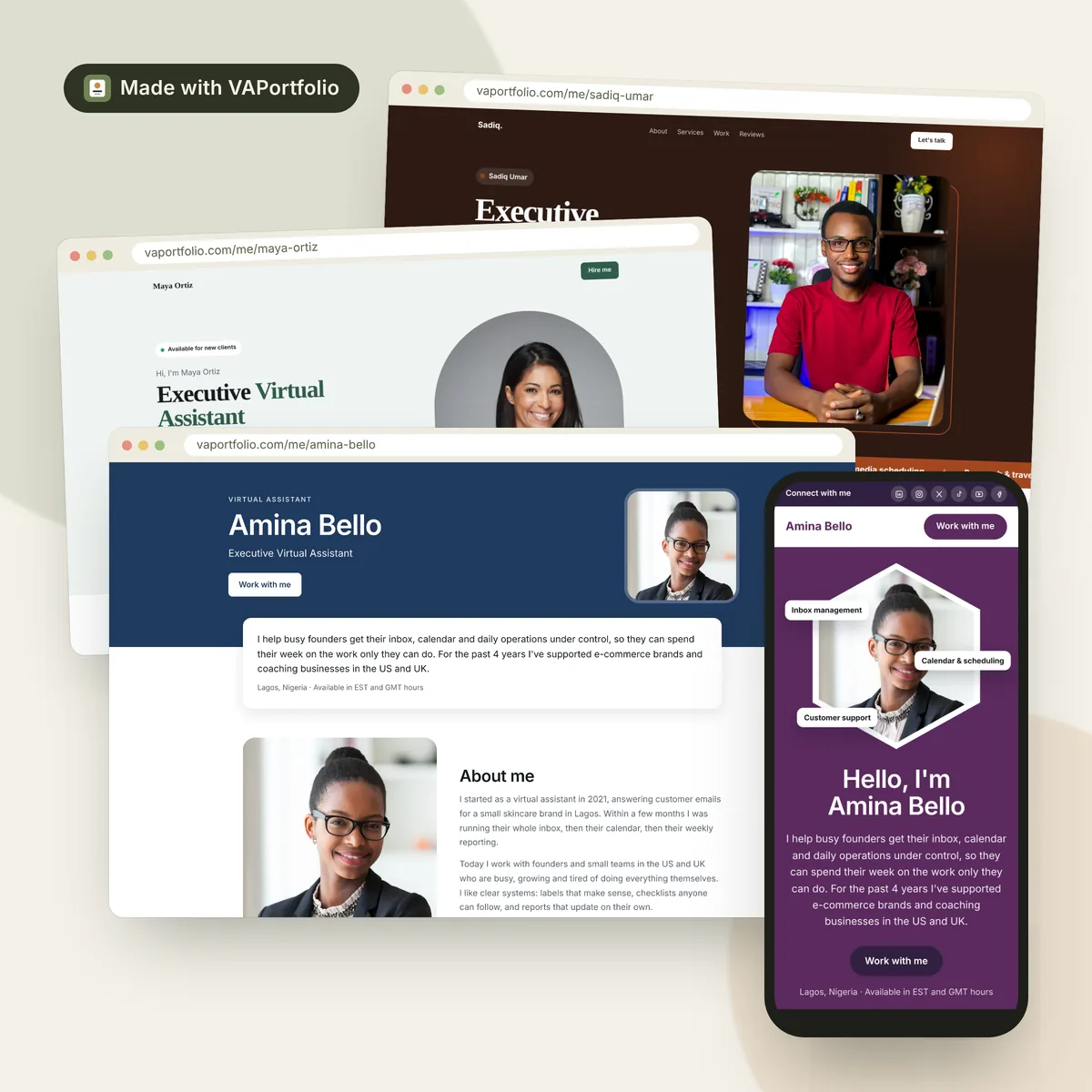
What to look for in a virtual assistant portfolio builder
A client usually spends a minute or two on your portfolio before deciding whether to reply. The best builder is the one that makes that minute count. Look for:
- Made for VA work. It should have places for the things clients look for: services, work samples, tools, certifications, testimonials and contact details. Generic templates built for photographers or restaurants make you do that thinking yourself.
- Professional without design skills. You're selling your admin, marketing or support skills, not your web design. The layout should look good no matter what you fill in.
- One link to share. A link fits in a proposal, a LinkedIn message or an email signature. Files have to be downloaded, and they go out of date.
- Mobile-friendly. Many clients will open your link on their phone between meetings.
- Fast to set up and easy to update. You should be able to publish today and add new samples in minutes.
- A clear next step for clients. A “Book a call” button or a contact form turns interest into a conversation.
- Free to start. Especially when you're still looking for your first clients.
Your options, compared
1. A portfolio builder made for virtual assistants (VAPortfolio)
This is what we built: VAPortfolio gives you templates designed only for VAs. Every section a client expects is already in place. You fill in your details, choose a design and publish your page at vaportfolio.com/me/your-name.
- Pros: built around VA services; professional by default; ready in minutes; works on phones; booking button built in; free plan with no time limit; published portfolios are listed for Google.
- Cons: your link is on vaportfolio.com (custom domain names aren't available); layouts are designed for you, so you can't drag things anywhere you like; it's a portfolio, not a full multi-page website or blog.
2. General website builders (Wix, Squarespace, WordPress)
These let you build any kind of website. That flexibility is their strength and their cost: you start from a generic template and decide everything yourself.
- Pros: total control over design and pages; you can use your own domain name; room to grow into a full business site with a blog.
- Cons: takes days to get right; easy to end up with something that looks amateur; free plans usually show the builder's branding and a long address, and your own domain needs a paid plan; WordPress needs hosting and maintenance.
3. A PDF portfolio made in Canva
Many VAs start here because Canva is familiar and the templates look good.
- Pros: lots of design freedom; free; great for creating the work samples themselves.
- Cons: clients have to download a file; hard to read on a phone; every update means sending a new file, and old versions keep circulating; nothing for Google to find; no way for clients to book you from the page.
4. Google Drive, Google Docs or Notion
Putting samples in a shared folder or a Notion page is quick and free.
- Pros: fast; free; fine for storing full project files.
- Cons: looks unfinished next to a designed portfolio; “request access” problems when sharing settings are wrong; no introduction, branding or clear call to action unless you build it all by hand.
5. Freelance platform profiles (Upwork, LinkedIn, Fiverr)
These aren't portfolio builders, but they have portfolio sections. Use them, but don't rely on them alone: each platform has its own limits, and your profile only works inside that platform. A portfolio with its own link works everywhere, including in those profiles.
Side-by-side comparison
| What matters | VAPortfolio | Website builders | Canva PDF | Drive / Notion |
|---|---|---|---|---|
| Made for virtual assistants | ✓ | ✗ | ~ | ✗ |
| Looks professional with no design skills | ✓ | ~ | ~ | ✗ |
| One link to share | ✓ | ✓ | ✗ | ✓ |
| Works well on phones | ✓ | ~ | ✗ | ~ |
| Ready in under an hour | ✓ | ✗ | ~ | ✓ |
| Free to start | ✓ | ~ | ✓ | ✓ |
| Booking button or contact form | ✓ | ~ | ✗ | ✗ |
| Your own domain name | ✗ | ✓ | ✗ | ✗ |
| Can be found on Google | ✓ | ✓ | ✗ | ~ |
✓ yes · ~ partly, or on paid plans · ✗ no. Based on what each option offers out of the box; plans and features change, so check the latest details for any tool you're considering.
Why we built VAPortfolio
Over the years I've watched many VAs with real skills struggle to show them. They made PDFs in Canva, put samples in Google Drive, tried WordPress, or used portfolio sites designed for photographers. Many gave up halfway. So we built a portfolio builder that does one job well: help virtual assistants show clients what they can do.
On the free plan you get:
- 6 professional templates designed for VAs
- Your own link: vaportfolio.com/me/your-name
- Your choice of colors and fonts
- Sections for your intro, About Me story, services, tools, certifications and a video intro
- Up to 3 work samples, 3 testimonials and 2 video testimonials
- A booking button, email, phone and social links
Pro adds six more templates, more room for samples and testimonials, no VAPortfolio branding, a booking calendar and contact form on your page, visitor stats, PDF download and more, when it opens soon, at a founding price of $25 a year.
Which one should you choose?
- You want a professional portfolio this week, for free: use a VA portfolio builder like VAPortfolio.
- You need your own domain name, several pages or a blog, for example because you're running a VA agency: use a general website builder, and expect to spend more time and money.
- You want to design striking work samples: use Canva to make them, then show them in your online portfolio.
- You need to share full project files: keep them in Google Drive and link to them from your work samples.
Many VAs end up combining these: Canva for designing samples, Drive for full files, and a portfolio page as the one link that ties it all together. For a full walkthrough, read how to create a virtual assistant portfolio for free.
Frequently asked questions
What is the best portfolio builder for virtual assistants?
The best option is one that's made for VA work, looks professional without design skills, gives you one link to share, works well on phones and is free to start. A builder made for virtual assistants, like VAPortfolio, fits that best for most VAs. If you need your own domain name and many pages, a general website builder is the better fit.
Is there a free virtual assistant portfolio builder?
Yes. VAPortfolio has a free plan with no time limit: 6 templates, your own link, and room for 3 work samples and 3 testimonials. Pro adds more templates, more space and extra tools when it opens soon, at a founding price of $25 a year.
Should I use Canva for my VA portfolio?
Canva is great for designing work samples, but a PDF portfolio is harder to share and update than a web page. A common approach is to design samples in Canva and show them on an online portfolio with its own link.
Is a Google Drive folder good enough as a portfolio?
It works as a place to store files, but it looks unfinished to clients and often causes 'request access' problems. Use it to hold full project files, and link to them from a proper portfolio page.
Do I need a website or a portfolio as a virtual assistant?
Most VAs need a portfolio first: one page that shows who you are, your services, your work and how to contact you. A full website with several pages makes more sense later, for example if you grow into an agency or start a blog.