The quick checklist
If you only have a minute, check your portfolio against this list:
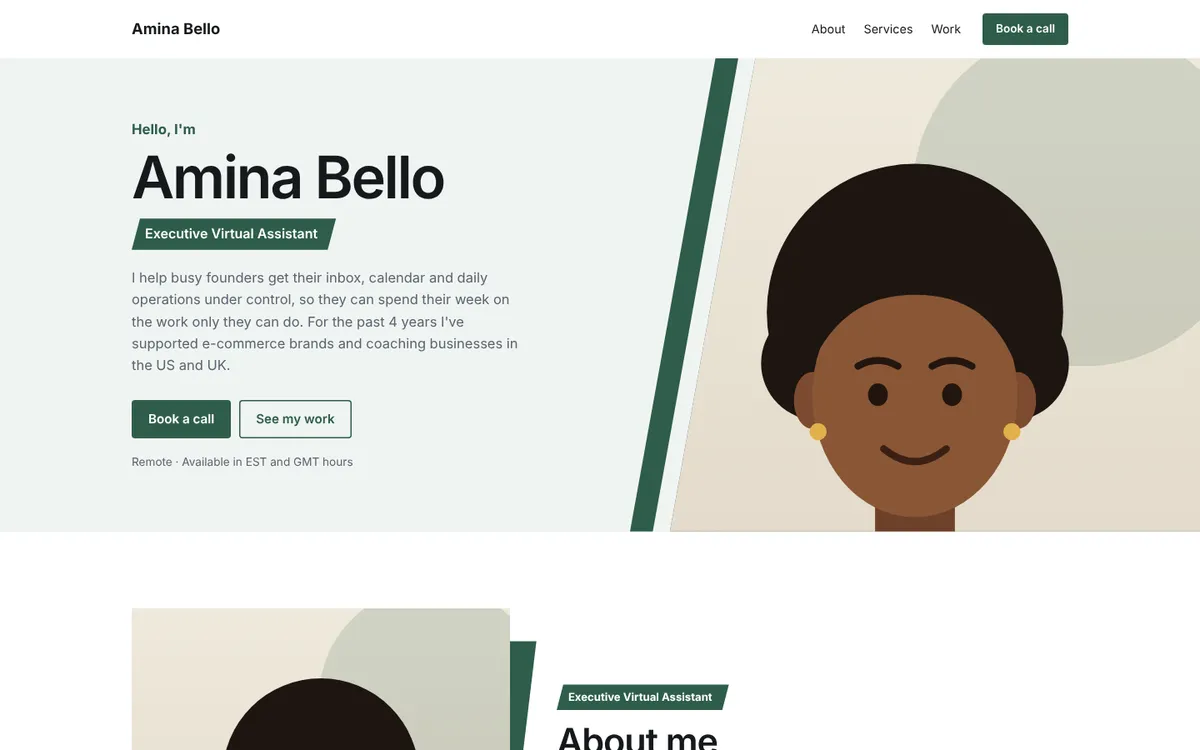
- A clear first screen: photo, name, title, a one-sentence headline and a “Book a call” button.
- Services: three to five (two or three if you're new), each describing what the client gets.
- Work samples: two or three, each with a picture and a short story.
- Results: at least one number or clear outcome near the top.
- Tools: the software you actually use.
- Trust: testimonials or references, plus any certifications.
- Your story: a short “About me” that sounds like a person.
- A way to book you: a booking link, email and the socials you use for work.
Now let's go through each one.
1. A clear first screen
Most clients decide whether to keep reading in a few seconds. The first screen, before anyone scrolls, needs:
- Your photo. A clear, friendly photo of your face in good light. It builds more trust than any logo.
- Your name and title. Be specific: “Executive Virtual Assistant” or “Social Media VA for coaches” beats “Virtual Assistant”.
- One headline sentence. Who you help, what you do and the result they get.
- A button. “Book a call” or “Work with me”, so a ready client doesn't have to hunt for it.
A simple headline formula that works for almost every VA:
I help [type of client] with [what you do] so they can [result they want].
2. Your services
List three to five services (two or three is fine if you're new), and describe each one as what the client gets, not just the name of the task:
- Weak: “Email management.”
- Strong: “Inbox management: labels, filters and reply templates, so your inbox is at zero by Friday every week.”
Choose the services you can deliver well today and want to be hired for again. If you list fifteen, a client can't tell what you're actually good at.
3. Work samples
This is the section that does the most selling. For each sample, include:
- A clear picture (a cropped screenshot or a before-and-after), with private details removed.
- A title that says what it is: “Weekly sales report for an online store”.
- Two or three sentences: the task, what you did, and what changed.
- A link to the full piece if there is one (a Google Doc, Canva design, Notion page or video).
Two or three strong samples are enough. The free VAPortfolio plan has room for 3, which is plenty to start. If you don't have client work yet, make sample projects and label them honestly. Our guide to making a VA portfolio with no experience has sample project ideas for every service.
4. Results and numbers
One clear result near the top of the page does more than a paragraph of adjectives. Good VA results are simple and concrete:
- “14,000 → 0 unread emails”
- “6 hours saved per week”
- “Replies to customers within 2 hours”
- “30 posts scheduled every month”
Only use real numbers. If you don't have results yet, describe the work clearly instead. A made-up number is easy to spot and hard to recover from.
5. Tools and skills
Clients often search for a VA who knows a specific tool, so name them: Google Workspace, Microsoft 365, Canva, Trello, Asana, Notion, Slack, Zoom, Calendly, Shopify, HubSpot, GoHighLevel, QuickBooks and so on.
List only tools you can use confidently today. Ten tools you know well beat thirty you've opened once. Soft skills like “communication” and “attention to detail” are better shown through your samples and testimonials than listed here.
6. Testimonials and certifications
Testimonials answer the question every client has: can I trust this person? The best ones are short, specific and show who said them:
“Within two weeks my calendar stopped running my life. I haven't missed a follow-up since.” Founder, online coaching business
No clients yet? Ask a former manager, colleague or someone you've helped for two or three sentences about one thing you did well, and say who they are. Video testimonials are even more convincing if someone is happy to record one.
Add certifications that relate to your services, such as Google, HubSpot, Meta or Canva courses. Skip unrelated ones; they make the section look padded.
7. Your story
Your “About me” turns a list of skills into a person a client wants to work with. Keep it to three short paragraphs:
- How you got here (a past job, a skill, a moment).
- Who you help now and how.
- What it's like to work with you.
Avoid lines like “I'm hardworking and detail-oriented”. Everybody says them. Show it with a short story instead. You can read a full example in our virtual assistant portfolio examples.
8. A way to book you
Make the next step easy. Include:
- A booking link (Calendly, Cal.com or Google Calendar booking pages) so clients can pick a time without emails back and forth.
- Your work email.
- The social profiles you use for work, usually LinkedIn. Leave out personal accounts.
Put the booking button at the top and again at the bottom. A client who reaches the end of your page is interested; don't make them scroll back up.
What to leave out
- Your full CV. Pull out the relevant parts and drop the rest.
- Empty sections. Hide them until you have something real to put there.
- Every skill you've heard of. Focus on what you want to be hired for.
- Client secrets. Blur names, emails, figures and anything private in screenshots, and ask before naming a client.
- Personal details clients don't need, like your home address, date of birth or ID numbers.
- Long paragraphs. Clients scan. Short sentences, short sections.
The best order for your sections
The order matters as much as the content. This is the order that answers a client's questions as they come up:
- First screen: photo, title, headline, button
- A result or two
- Services
- Work samples
- Testimonials
- Tools and certifications
- About me
- Contact and booking button again
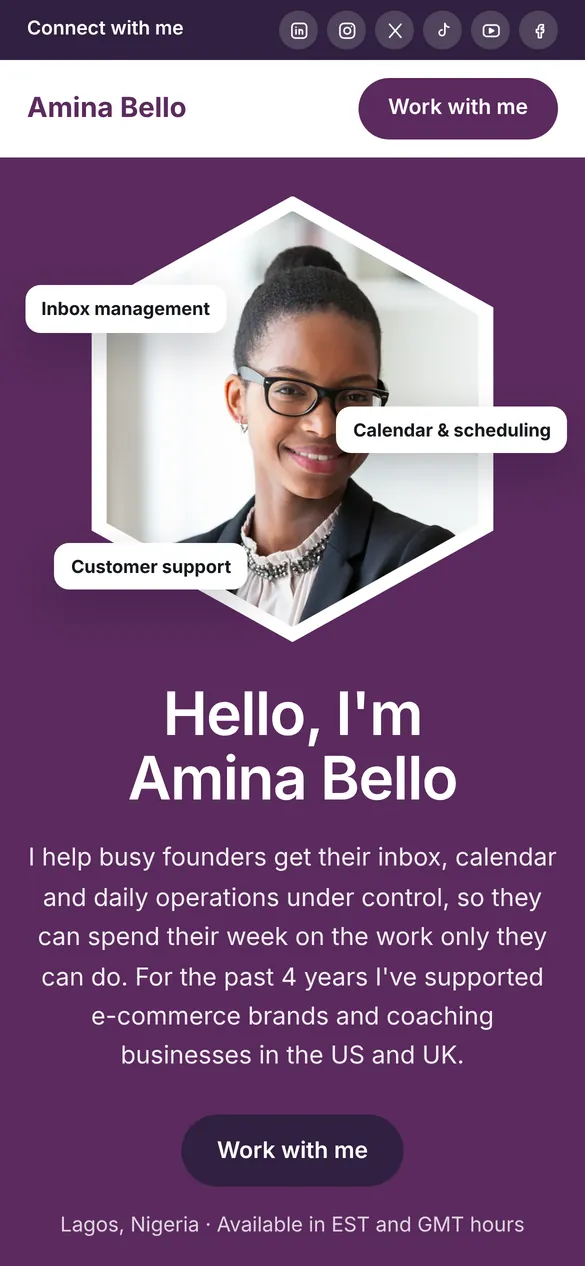
Every VAPortfolio template already follows an order like this, and with Pro you can rearrange the sections if you want something different. Once yours is ready, open it on your phone: many clients will see it there first.
For a full walkthrough of building and sharing your portfolio, read how to create a virtual assistant portfolio for free, and if you're still picking a design, see how to choose a VA portfolio template.
Frequently asked questions
What should a virtual assistant portfolio include?
A first screen with your photo, name, title, a one-sentence headline and a booking button; your services written as what the client gets; two or three work samples with a short story each; your tools; testimonials or references; certifications if you have them; a short About me story; and your contact details.
How long should a VA portfolio be?
One page that a client can scan in under a minute. Most good VA portfolios have 6 to 8 short sections. If a section doesn't help a client decide to hire you, cut it or hide it.
Should I put my rates in my VA portfolio?
It's up to you. Showing a starting price ('from $X a month') filters out clients who can't afford you, but many VAs prefer to discuss rates on a call so they can price each client's needs. If you're not sure yet, leave rates out and add them later.
Should I include my CV in my portfolio?
Not the whole CV. Clients don't read long work histories on a portfolio. Pick the parts that prove you can do the job (a past role, a course, a tool you're certified in) and put them in your story, tools or certifications instead.
What if I don't have work samples or testimonials yet?
Make two or three sample projects that match the services you offer and label them clearly as samples. Ask former managers, colleagues or people you've helped for short references. Hide any section you can't fill yet rather than leaving it empty.
How many services should I list?
Three to five, or two or three if you're new. A short list of services you do well looks more professional than a long list of everything you've heard of, and it makes it easier for a client to see if you're the right fit.