What is a virtual assistant portfolio template?
A virtual assistant portfolio template is a ready-made page design with all the sections a VA needs already in place: an introduction, services, work samples, tools, testimonials and a way to book a call. You replace the sample content with your own and publish it.
The difference from a general website template is focus. A general template is made for anything (a bakery, a photographer, a law firm), so you have to work out the structure yourself. A VA template is built around the questions clients ask before they hire a virtual assistant.
What a good VA portfolio template must have
Before you fall in love with a design, check it has these:
- A strong first screen. Room for your name, photo, title, a one-sentence headline and a booking button, all visible without scrolling.
- A place for results. Clients trust numbers. The best templates show a result like “6 hours saved per week” near the top.
- Services with descriptions. Not just a list of task names: each service needs a line about what the client gets.
- Work samples with pictures and text. A screenshot alone isn't enough; you need space to explain the task and what changed.
- Trust sections. Testimonials, video testimonials, certifications and an “About me” story.
- An easy way to contact you. A booking link (Calendly, Cal.com or similar), email and social links.
- A good phone layout. Many clients open your link on their phone first. Check the template there, not just on a computer.
Every VAPortfolio template has all of these. If you're comparing other tools, use this list as your checklist; we compare the main options in the best virtual assistant portfolio builders.
How to choose the right template for your clients
Choose for the clients you want, not just for your own taste. A quick guide:
- Executives, agencies, consultants and corporate clients: clean and polished, with calm colors. Try Edge, Crest or Ivory.
- Coaches, course creators and wellness brands: warm and personal, with soft shapes. Try Journal, Spotlight, Haven or Blush.
- Tech startups, software companies and digital agencies: dark and modern, with high contrast. Try Studio, Midnight, Neon or Orbit.
- E-commerce and creative brands: bold, colorful and playful. Try Bold, Pop or Glow.
- Luxury brands and high-end clients: dark, elegant and premium. Try Luxe, Onyx or Vista.
- If you have strong results to show: put proof on the first screen. Try Bento or Haven.
Two more tips: if your photo is great, pick a template that shows it big (Vista, Edge). If you don't love your photo yet, pick one with a smaller frame (Journal, Bento) and update it later.
Free virtual assistant portfolio templates
These 6 templates are free on VAPortfolio, forever. Click any name to open it with sample content.
- Spotlight: Light and friendly, with an arch-shaped photo and big result rows.
- Bold: A full-color header with your photo and a clean card layout.
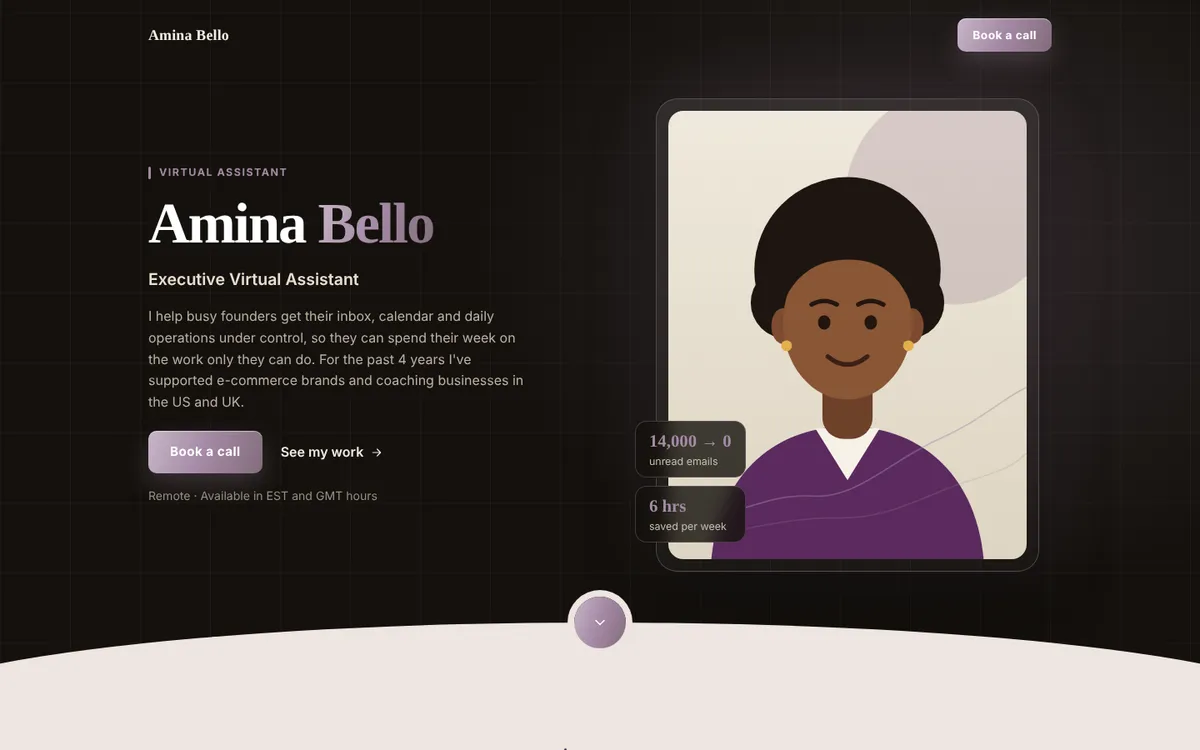
- Studio: A dark, premium hero with an oversized headline.
- Journal: A warm personal-brand page with a hexagon photo and soft cards.
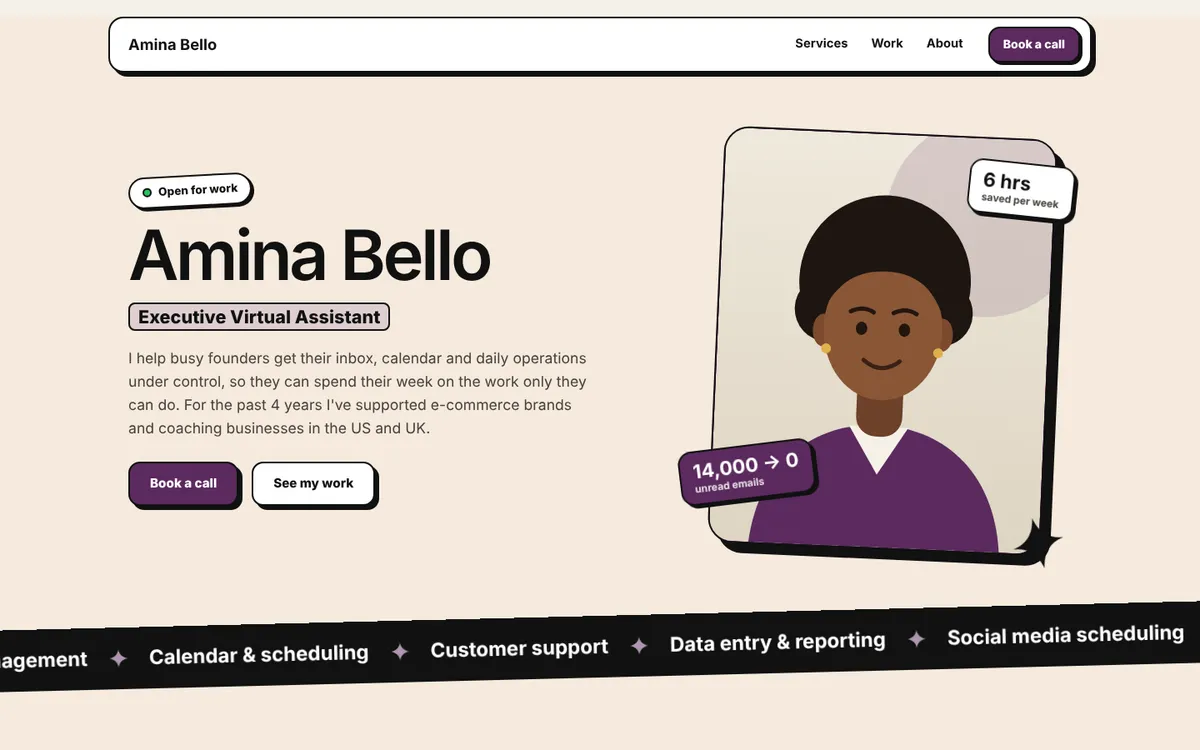
- Midnight: A dark page with a slanted photo frame and bright highlights.
- Edge: A crisp light page with a full-height photo and angled accents.
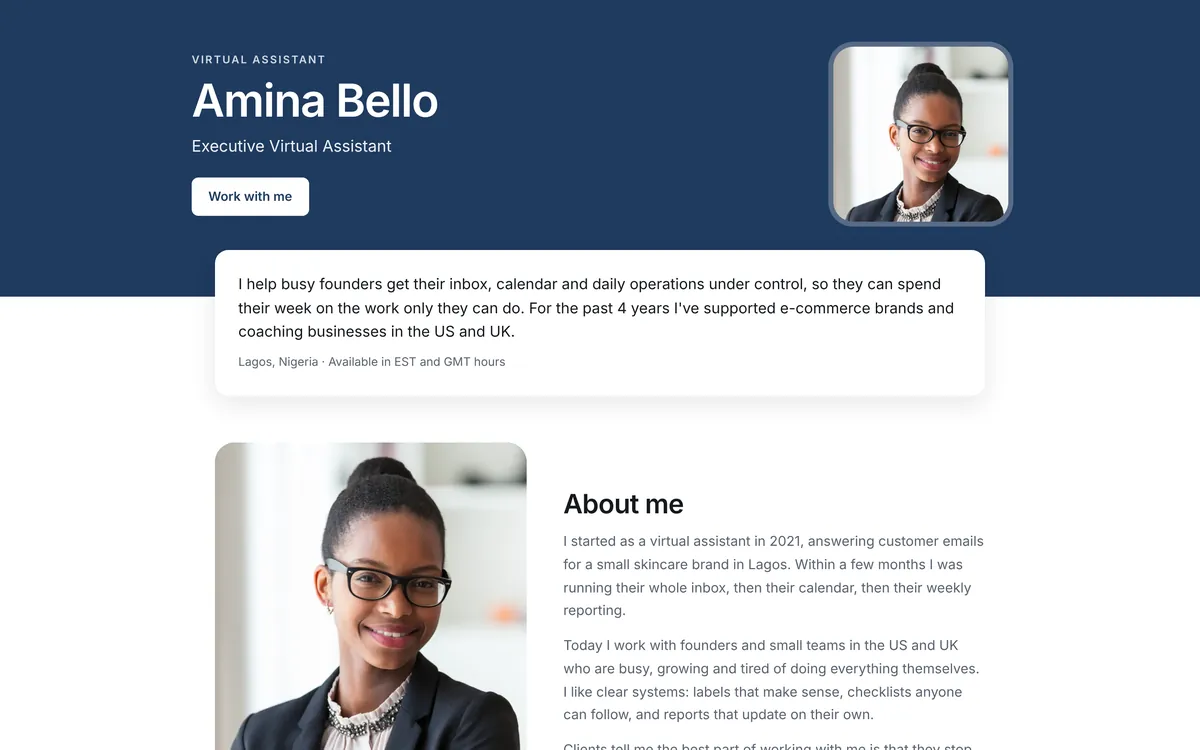
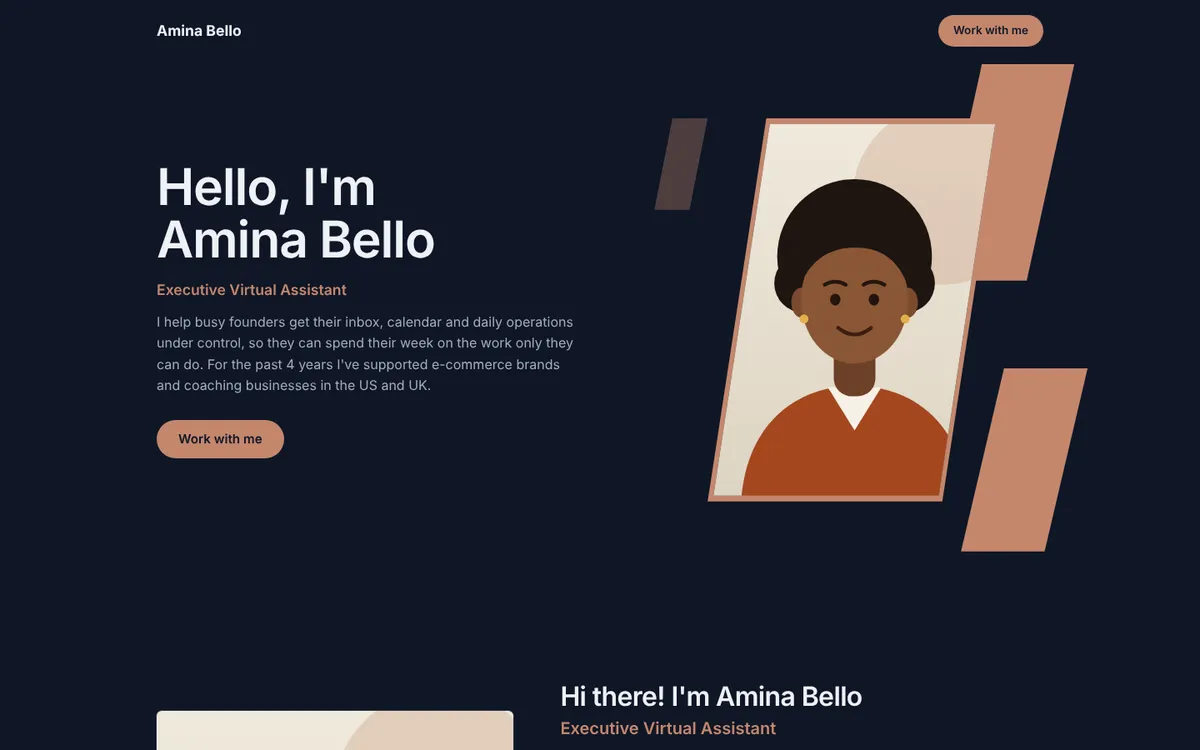
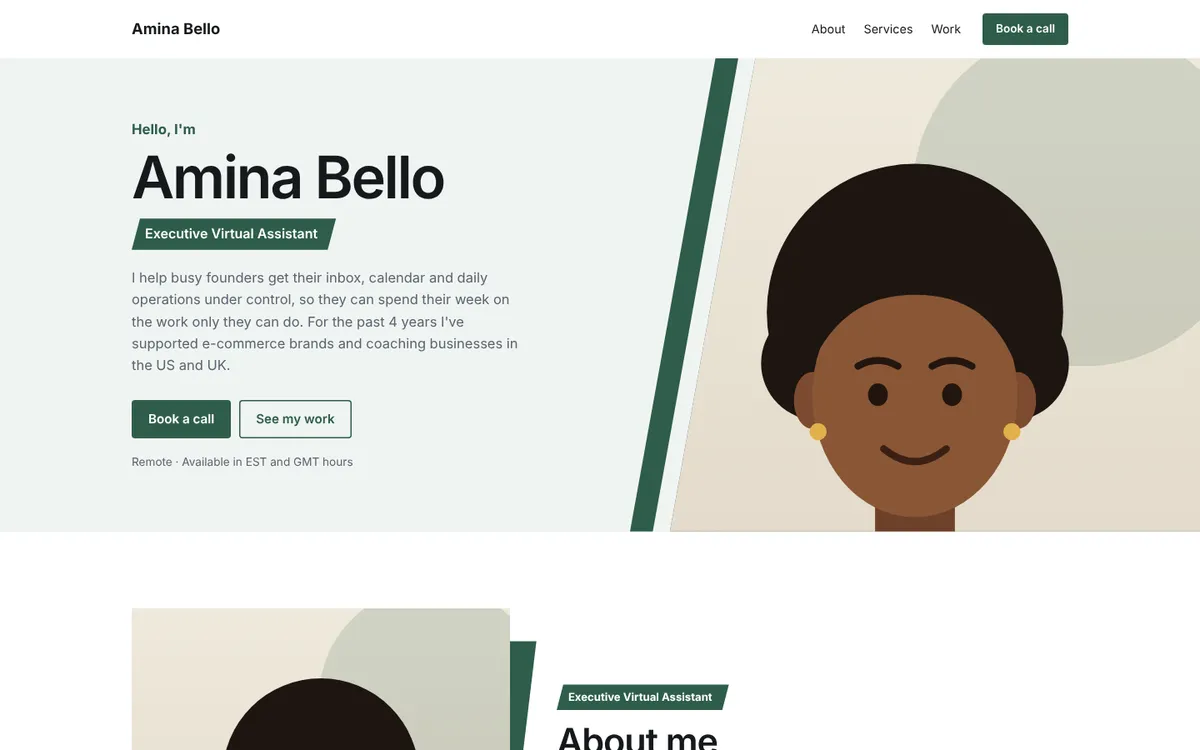
The free plan includes your own link, colors and fonts, every section, and room for 3 work samples and 3 testimonials.
More template styles
If you want a more distinctive look, 18 more templates come with VAPortfolio Pro. You can try any of them in the editor preview on the free plan before deciding.
- Breeze: Soft and airy, with a rounded photo shape and gentle color washes.
- Haven: Calm and earthy, with a tall pill-shaped photo and a deep services band.
- Blush: Warm and graceful, with curved sections and an elegant photo frame.
- Pine: A deep-colored hero with a round photo, gold highlights and bracket cards.
- Terra: Warm and earthy, with arch shapes, a results band and a testimonials wall.
- Blaze: Bold and confident, with a big color circle and dark service cards.
- Glow: Warm and energetic, with a big color-gradient shape over your photo and a wavy dark footer.
- Luxe: Dark and premium, with a glowing photo card, metallic buttons and warm cream sections.
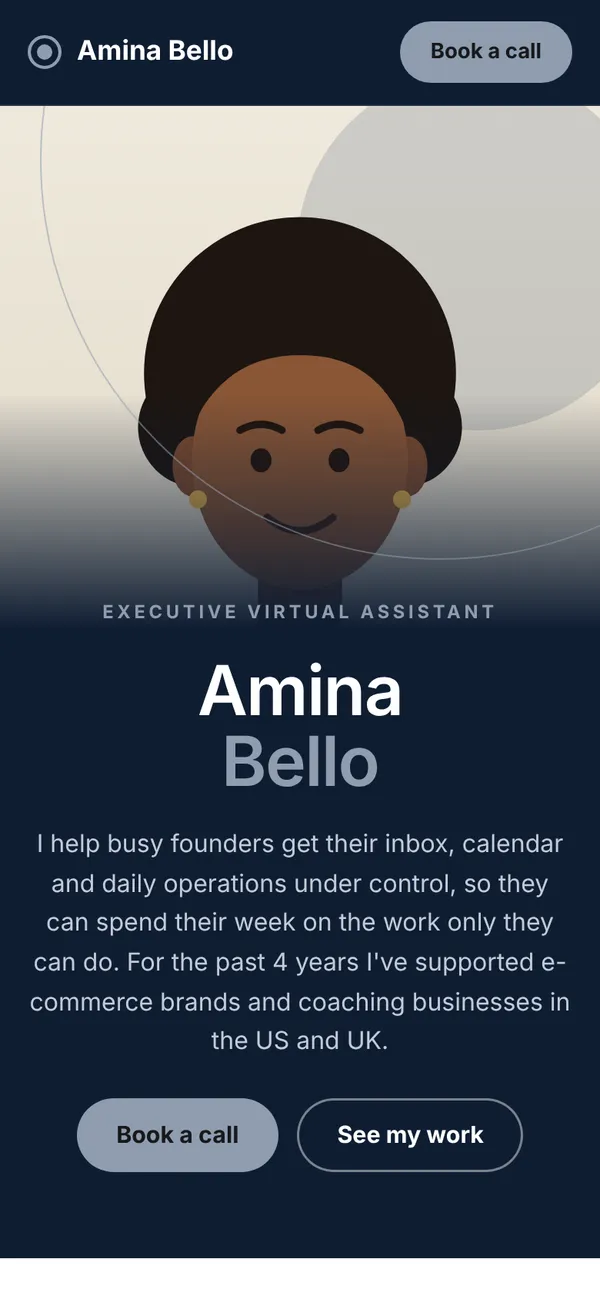
- Crest: Polished and professional, with a deep navy hero, a fading photo and crisp cards.
- Aura: Calm and modern, with soft color glows, frosted-glass cards and numbered services.
- Neon: Dark and techy, with glowing outlined headings, a bright photo frame and a results bar.
- Onyx: Sleek charcoal with soft raised cards, your name in color and social buttons up top.
- Bento: Clean and modern, with a tiled hero that shows your photo, a result and your tools at a glance.
- Cover: Like a magazine cover: your name huge across the top, your photo in front and numbered sections.
- Pop: Loud and fun, with thick outlines, sticker badges and a moving strip of your services.
- Ivory: Calm and refined, with a profile card that stays beside your page as visitors scroll.
- Orbit: Dark and striking, with your tools circling your photo and glowing service cards.
- Vista: Cinematic, with your photo filling the whole top of the page and your name across it.
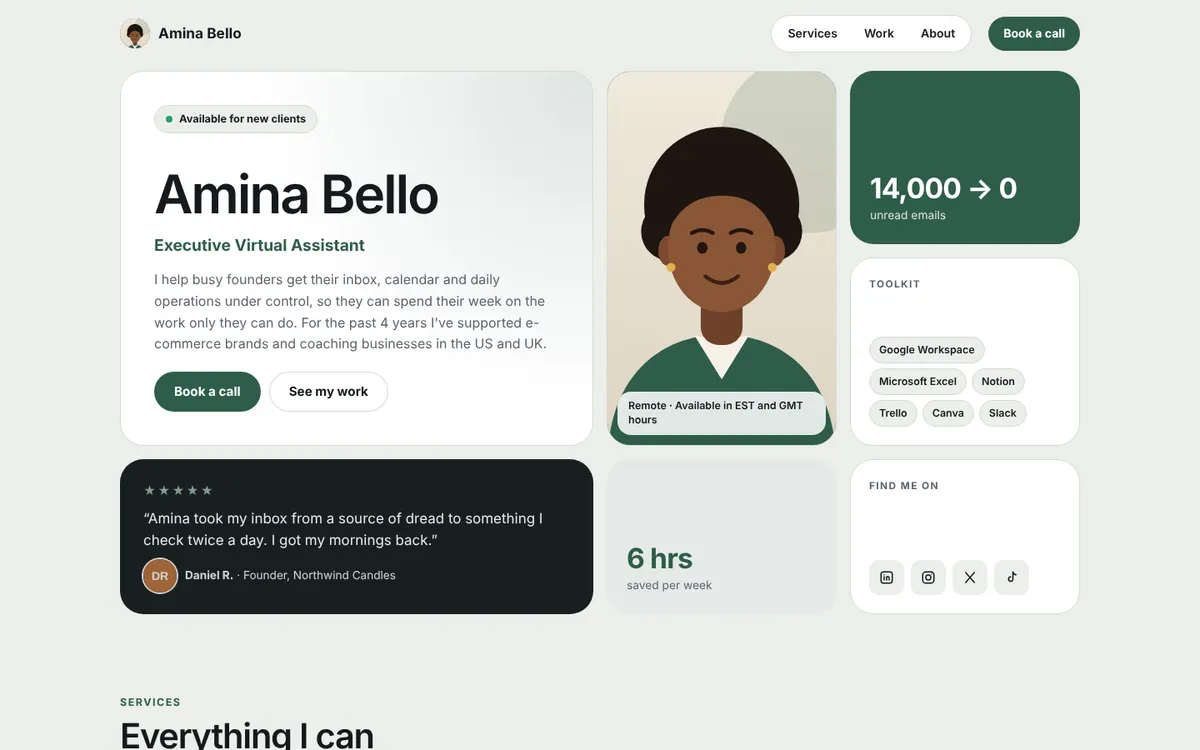
To see these templates filled in and compared side by side, read our virtual assistant portfolio examples.
How to make a template your own
Clients won't notice which template you used. They'll notice whether the page feels like you. A few changes make the biggest difference:
- Pick one color and stick to it. Choose a color that matches your personal brand or your favorite clients' industry. One color looks more professional than many.
- Choose a font pairing that matches your tone: modern for tech, editorial or elegant for premium, friendly for coaches and small brands.
- Use your own photo. A clear photo of your face, with good light and a plain background, beats any stock image.
- Rewrite every heading and button. “Book a free 15-minute call” is better than “Contact”. VAPortfolio lets you change the template wording, headings and button labels.
- Hide what you don't have. No video yet? Hide that section. An empty section looks worse than none.
- Put your best work first. Your first work sample should be your strongest result.
Template websites vs Canva and Word templates
Many VAs start with a Canva or Word portfolio template and export it as a PDF. That's fine as a backup, but a web page template has real advantages:
- One link, opens anywhere. Clients tap it on their phone. No downloads, no “request access”.
- Always up to date. Change something once and everyone with your link sees the new version.
- More than pictures. Booking buttons, clickable links, video introductions and video testimonials.
- Findable. A published page can show up when clients search your name; a PDF in your Drive can't.
Keep a PDF copy for job applications that ask for an attachment, and send your portfolio link everywhere else. For a full walkthrough of building yours, read how to create a virtual assistant portfolio for free.
Frequently asked questions
Where can I find a free virtual assistant portfolio template?
VAPortfolio has 6 free templates made only for virtual assistants. Each one already has sections for your intro, services, work samples, tools, testimonials and booking button, and you publish it with your own link. No design or coding skills needed.
What should a VA portfolio template include?
At minimum: a first screen with your photo, title, headline and a booking button; a services section; work samples with room for a picture and a short description; your tools; testimonials and certifications; and contact details. It should also look good on a phone.
Can I change the colors and fonts of a template?
Yes. On VAPortfolio every template lets you pick your own color and font pairing, and change the headings and button labels. You can also hide any section you don't need.
Can I switch templates later?
Yes, any time. Your content is saved separately from the design, so switching templates keeps everything you've written and uploaded. Your link stays the same too.
Is a Canva template good enough for a VA portfolio?
A Canva PDF can work as a backup attachment, but a web page is easier for clients: it opens in one tap on any phone, it can include a booking button and videos, and you can update it without resending a file.
Do I need a different template for each type of VA work?
No. Choose one template that suits the clients you want most, and let your headline, services and work samples show your specialty. If you change direction later, you can switch templates in a few clicks.