Can you make a VA portfolio with no experience?
Yes. A client hiring a virtual assistant is really asking three things: Can you do this task? Will you do it well? Can I trust you? None of those needs a long client list to answer.
You answer the first two with sample projects: realistic tasks you complete on your own, exactly as you would for a client. You answer the third with a real photo, a clear story, honest labels and skills you've already used elsewhere. Together, that's a portfolio that can win a first client.
The proof you already have
“No experience” usually means “no VA clients yet”. Most people have more relevant experience than they think:
- Past jobs. Retail, office, teaching, sales or customer service all use VA skills: handling customers, organizing schedules, keeping records, solving problems under pressure.
- Running things for others. Organizing an event, managing a church or community group's WhatsApp and social media, keeping accounts for a family business.
- School and courses. Certificates from Google, HubSpot, Canva or Coursera, and projects you completed for them.
- Tools you use every day. Google Workspace, Excel, Canva, Trello, Notion, Slack, Zoom. Clients search for these by name.
- Volunteering. Unpaid work for a real organization is real experience. Describe it as what it was.
Write these down before you build anything. They become your services, your tools section, your story and sometimes your first testimonials.
Sample projects for each VA service
Pick the two or three services you most want to be hired for, and make one sample project for each. Use a real small business you know (with your own made-up data) or an imaginary one.
Admin and executive support
- Inbox clean-up: set up labels, filters and five reply templates for a fictional founder. Show before-and-after screenshots.
- Calendar plan: plan a busy week across two time zones, with color-coded meetings, focus blocks and travel time.
- Travel itinerary: a one-page plan for a three-day business trip, with flights, hotel, meetings and backups.
Social media
- Content calendar: one month of posts for a small brand, with themes, captions and posting times.
- Post designs: three to six posts designed in Canva in the brand's style.
- Profile audit: review a small business's Instagram and list five clear improvements, with examples.
Customer support
- Reply templates: answers to the ten most common questions for an online store (shipping, refunds, sizing, late orders).
- FAQ page: a simple, friendly FAQ for the same store.
Data entry and reporting
- Spreadsheet clean-up: take a messy list (duplicates, mixed formats, missing values) and clean and organize it. Show before and after.
- Simple dashboard: a weekly sales or leads summary in Google Sheets with a chart or two.
E-commerce
- Product listings: rewrite five product descriptions for a small store, with titles, bullet points and SEO keywords.
- Order tracker: a sheet or Trello board that tracks orders from payment to delivery.
Research and project management
- Research summary: compare five tools, suppliers or competitors on one page, with a clear recommendation.
- Project board: a Trello, Asana or Notion board for a small product launch, with tasks, owners and deadlines.
- SOP: a written checklist (and an optional short Loom video) for a recurring task, like onboarding a new client.
How to present a sample project
A screenshot alone doesn't explain anything. For each sample, give clients four things:
- A clear picture: a cropped screenshot or before-and-after image, with anything private removed.
- A short title that says what it is: “One-month Instagram content calendar for a bakery”.
- Two or three sentences: the goal, what you did, and how it would help a client.
- An honest label: “Sample project” or “Practice project” in the description or tags.
For example:
Sample project: inbox clean-up for a busy founder. I sorted 2,000 test emails into a simple label system, set up filters for newsletters and receipts, and wrote five reply templates for common requests. The result: an inbox that can be cleared in 15 minutes a day.
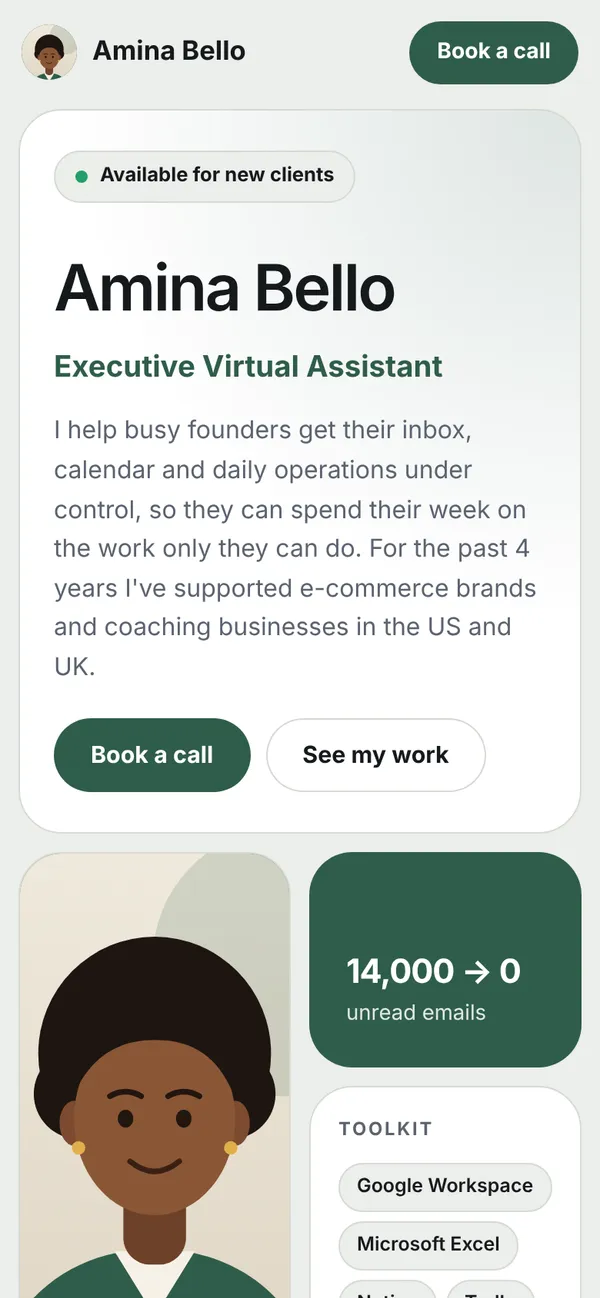
Lead with a short result where you can (“2,000 → 0”, “15 minutes a day”), even for a sample. It's honest as long as the label is clear.
Testimonials when you have no clients
You don't need client testimonials to have trustworthy ones. Ask people who have seen you work:
- A former manager or colleague, with their real name and role (for example “Store manager, my previous job”).
- Someone you helped for free, like a friend's small business or a community group.
- A course instructor or mentor who reviewed your projects.
Ask them for two or three sentences about one specific thing you did well, and always show who they really are. If you have none yet, hide the testimonials section; you can add it after your first project. A great way to get your first real testimonial is to do one small paid or trial task for a business owner and ask for feedback at the end.
What to write when you're new
Your headline
Focus on who you want to help and what you'll do for them, not on how long you've been doing it:
I help [type of client] with [what you do] so they can [result they want].
“I help coaches stay consistent on Instagram with planned, on-brand posts, so they can spend their time coaching.” Nothing about experience, and nothing untrue.
Your “About me” story
Be open about being new and show why you'll be good at it. Mention the past job or skill that led you here, the training you've done, and what clients can expect from you. For example: “I spent four years in retail, where I learned to keep customers happy and stock records accurate. Now I bring the same care to online businesses as a customer support VA.”
Your services
List only the services you can do well today, and describe what the client gets. Two or three focused services look more professional than a list of fifteen.
For more ideas on wording, see the example headlines, services and stories in our virtual assistant portfolio examples.
A 7-day plan to publish your first portfolio
- Day 1: choose two or three services and write down the proof you already have (jobs, tools, courses, volunteering).
- Day 2: make your first sample project.
- Day 3: make your second sample project.
- Day 4: take a clear photo (natural light, plain background) and write your headline and “About me” story.
- Day 5: ask two people for a short testimonial, and set up a free booking link (Calendly, Cal.com or similar).
- Day 6: sign up free, pick one of the 6 free templates, add everything and check it on your phone.
- Day 7: publish, then share your link on LinkedIn, in your bios and in your next proposals.
Don't wait until it's perfect. A published portfolio with two good samples is worth more than a perfect one you never share. You can add a third sample and new testimonials as you go; your link stays the same.
What not to do
- Don't present samples as client work or use another company's logo as if they hired you.
- Don't invent testimonials or numbers. One discovered lie costs more than having no testimonials at all.
- Don't list every skill you've heard of. Pick what you can deliver well this week.
- Don't leave sections empty. Hide them until you have something to put there.
- Don't skip the booking button. Make it easy for an interested client to take the next step.
For the full step-by-step walkthrough of building and sharing your portfolio, read how to create a virtual assistant portfolio for free.
Frequently asked questions
Can I be a virtual assistant with no experience?
Yes. Many VAs start with no paid client work. Clients mainly want to know you can do the task reliably, so a portfolio with honest sample projects, the tools you know and skills from past jobs can win your first clients.
What do I put in a VA portfolio if I have no clients?
Your photo and a clear headline, the services you want to offer, two or three sample projects that show how you'd do the work, the tools you use, any certifications or courses, and a booking button. If you have references from past jobs, volunteering or school, add them as testimonials and say where they're from.
Is it okay to use sample projects in my portfolio?
Yes, as long as you label them clearly as sample or practice projects. Clients respect honesty, and a well-made sample shows your skills just as well as client work. Never present a sample as paid client work.
How many sample projects do I need?
Two or three good ones, each matching a service you want to be hired for. The free VAPortfolio plan has room for 3 work samples, which is plenty to start.
Should I make up testimonials to look more experienced?
No. Fake testimonials are easy to spot and can end a client relationship before it starts. Use real feedback from former employers, colleagues, volunteering or friends you've helped, and say who they are. If you have none yet, hide the testimonials section until you do.
How do I get my first VA client after making my portfolio?
Share your link everywhere: in proposals, your LinkedIn Featured section and contact info, your email signature and social media bios. Then contact small business owners directly, offering one specific service. A clear portfolio makes every one of those messages more convincing.