What every good VA portfolio example has in common
The designs below look very different, but every one of them follows the same structure. That structure is what makes a client keep scrolling:
- A clear first screen. Name, photo, title and one sentence about who you help and how, with a “Book a call” button.
- Proof early. A number or result near the top (“14,000 → 0 unread emails”, “6 hours saved per week”) so the client sees evidence before they get bored.
- Specific services. Each service says what the client gets, not just the name of the task.
- Work samples with a story. A picture plus the task, what you did and what changed.
- Trust signals. Testimonials, certifications, the tools you use and a short personal story.
- An easy next step. The booking button appears again at the end, with email and social links.
If your portfolio has these six things, it will work in any design. If it's missing them, no design will save it. For the full section-by-section list, see what to include in a virtual assistant portfolio.
9 virtual assistant portfolio examples, by style
All nine use the same sample VA, Amina Bello, an executive virtual assistant, so you can compare the designs fairly. Click any example to open the full page and scroll through it.
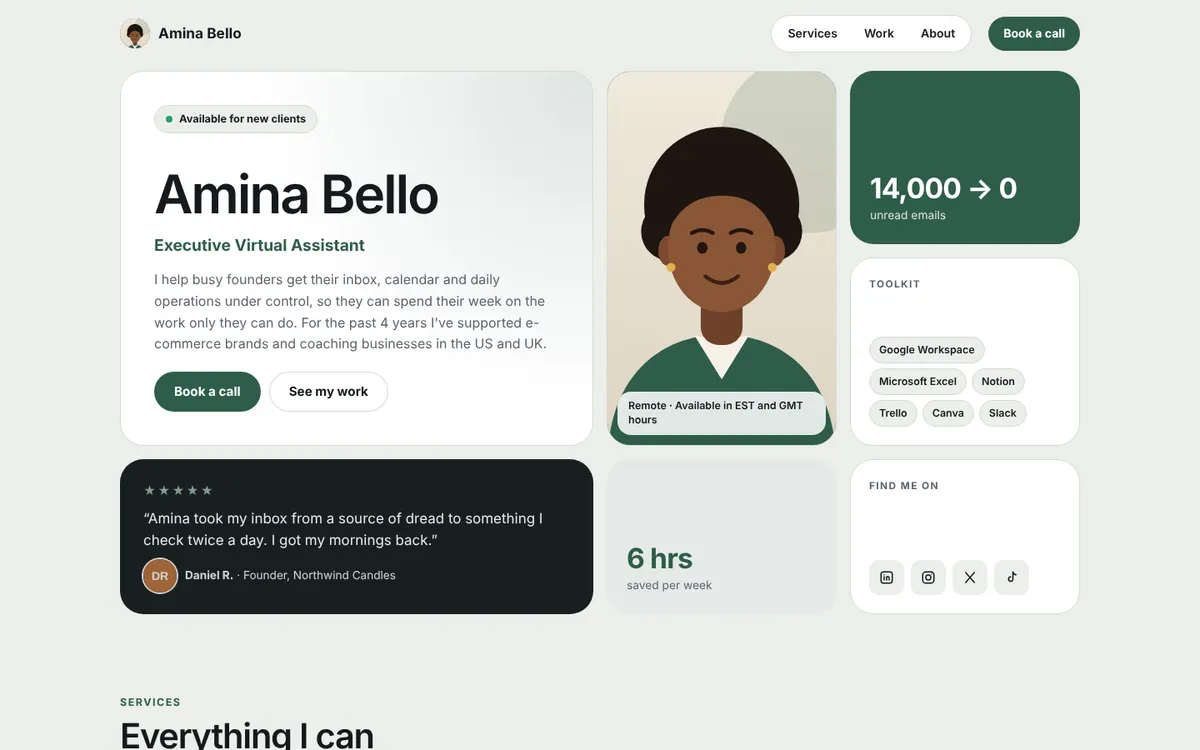
1. Bento: modern, with proof on the first screen
A tiled layout that puts your photo, a headline result, your tools and a testimonial on the first screen. Clients see proof before they scroll at all, which makes it a strong choice if you already have one great number to show.
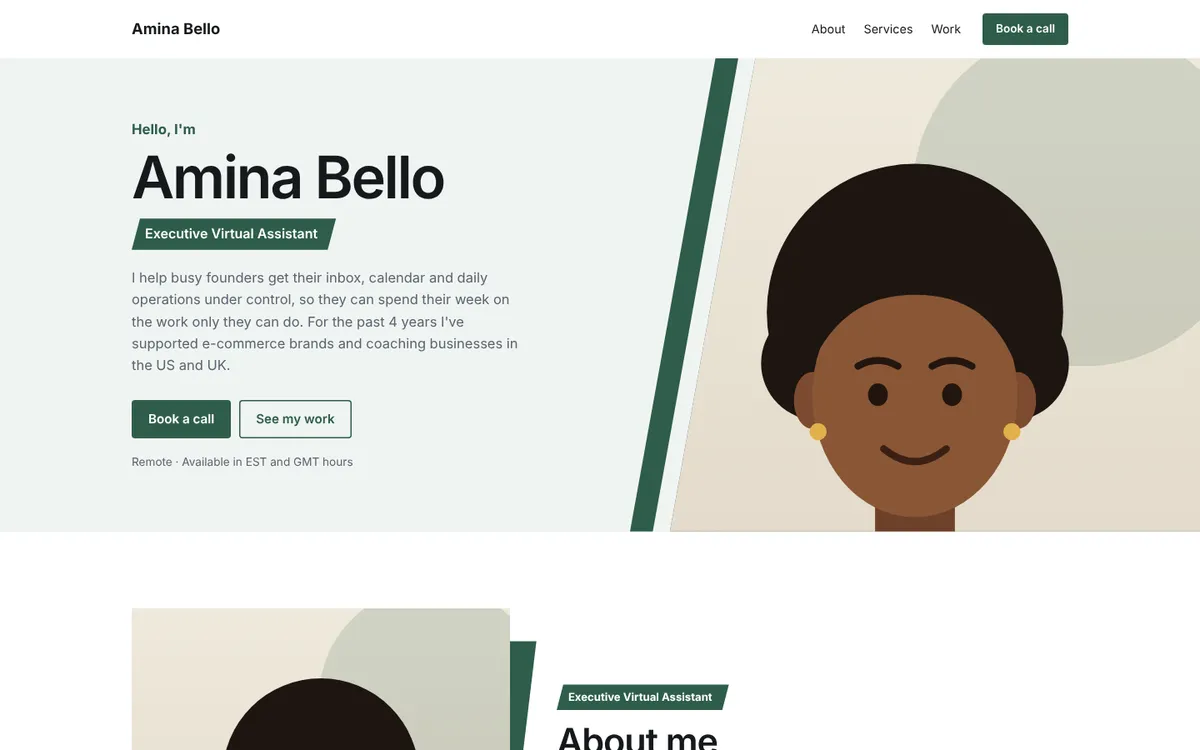
2. Edge: crisp, light and professional
A light page with a full-height photo and angled accents. It feels confident without being loud, so it suits executive assistants and admin VAs working with corporate clients.
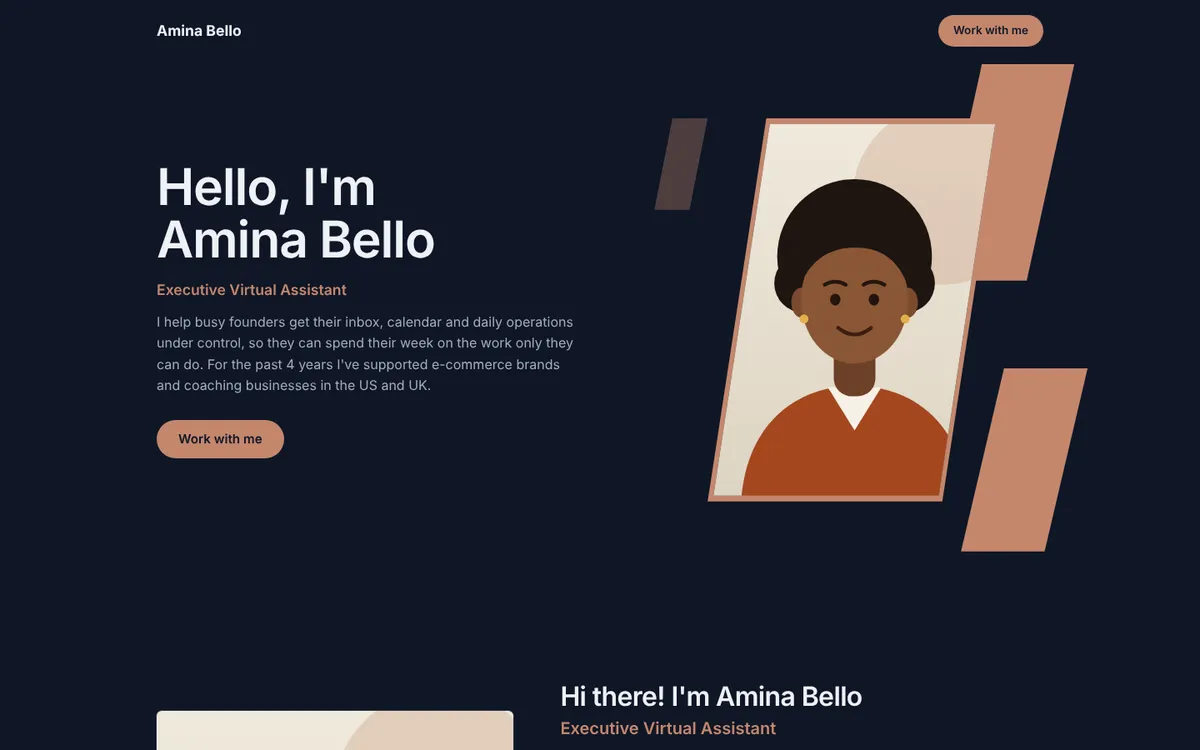
3. Midnight: dark, with bright highlights
A dark background with a slanted photo frame and a warm accent color. Dark pages feel modern and stand out in a client's browser tabs, which works well for tech, social media and creative VAs.
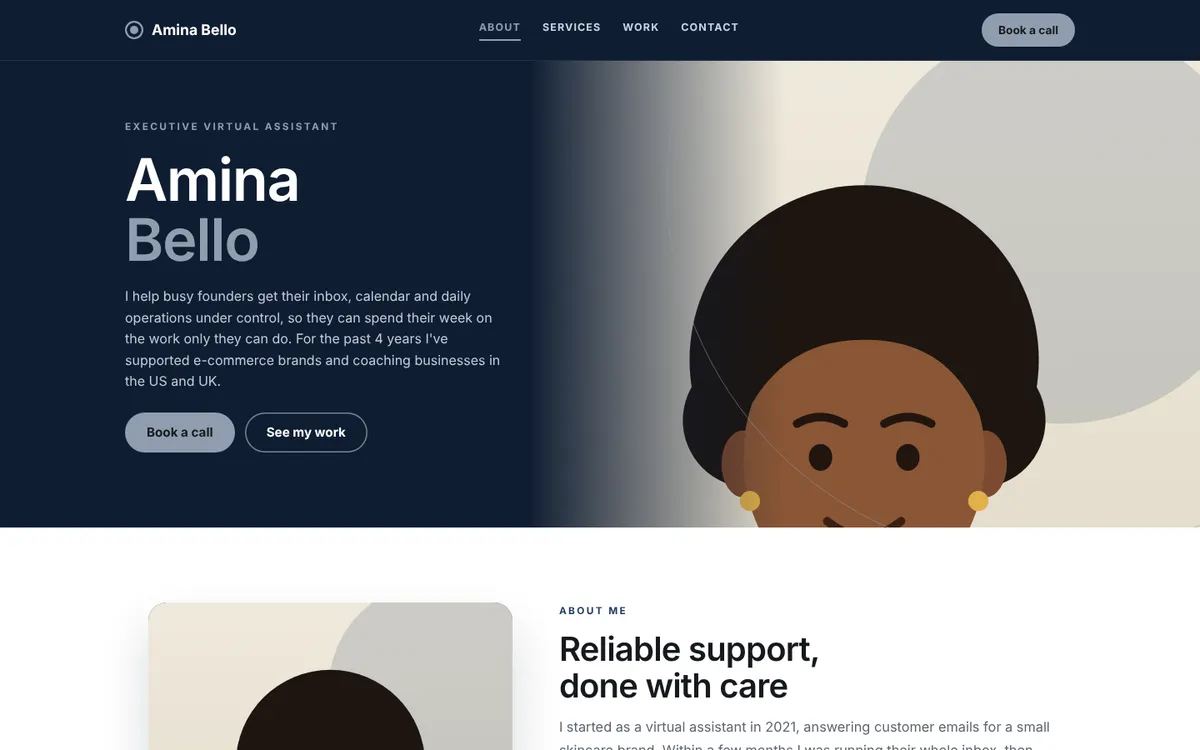
4. Crest: polished, for corporate clients
A deep navy hero with a photo that fades into the background and crisp cards below. It reads like a professional services firm, so it's a good fit if you want to work with agencies, consultants or established businesses.
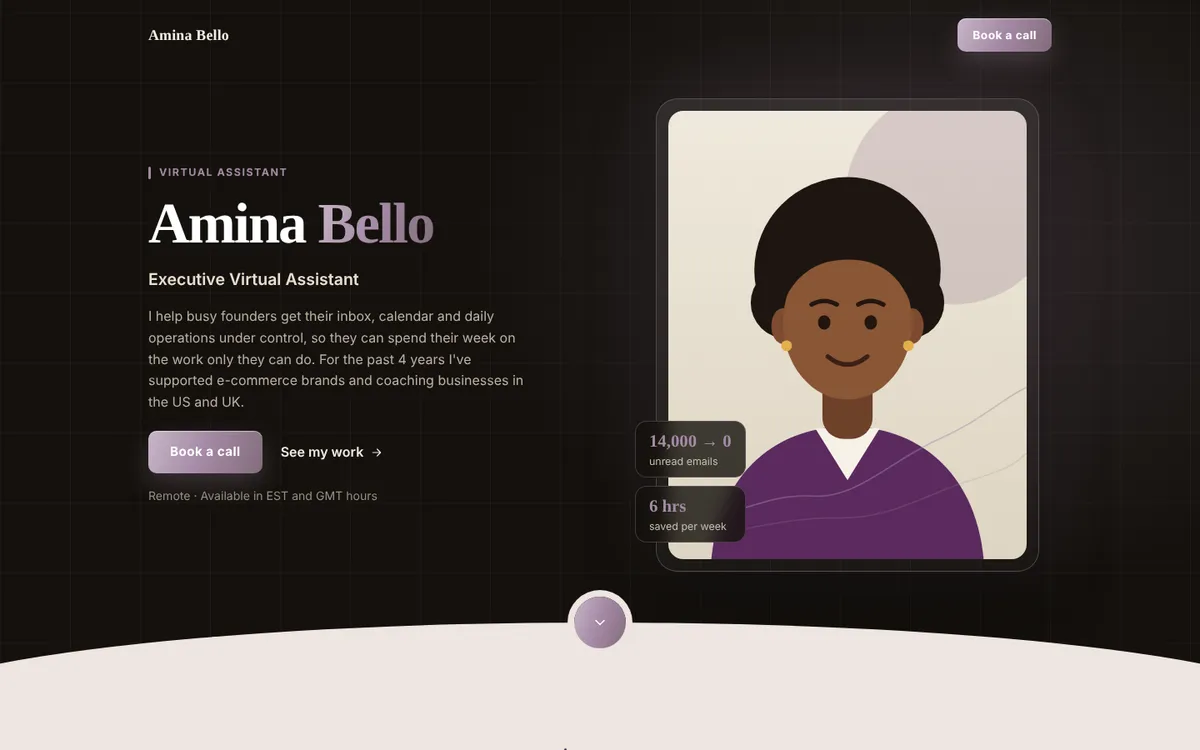
5. Luxe: dark and premium
A glowing photo card, soft metallic buttons and elegant fonts. If you support high-end coaches, luxury brands or executives, this style signals premium service before a client reads a word.
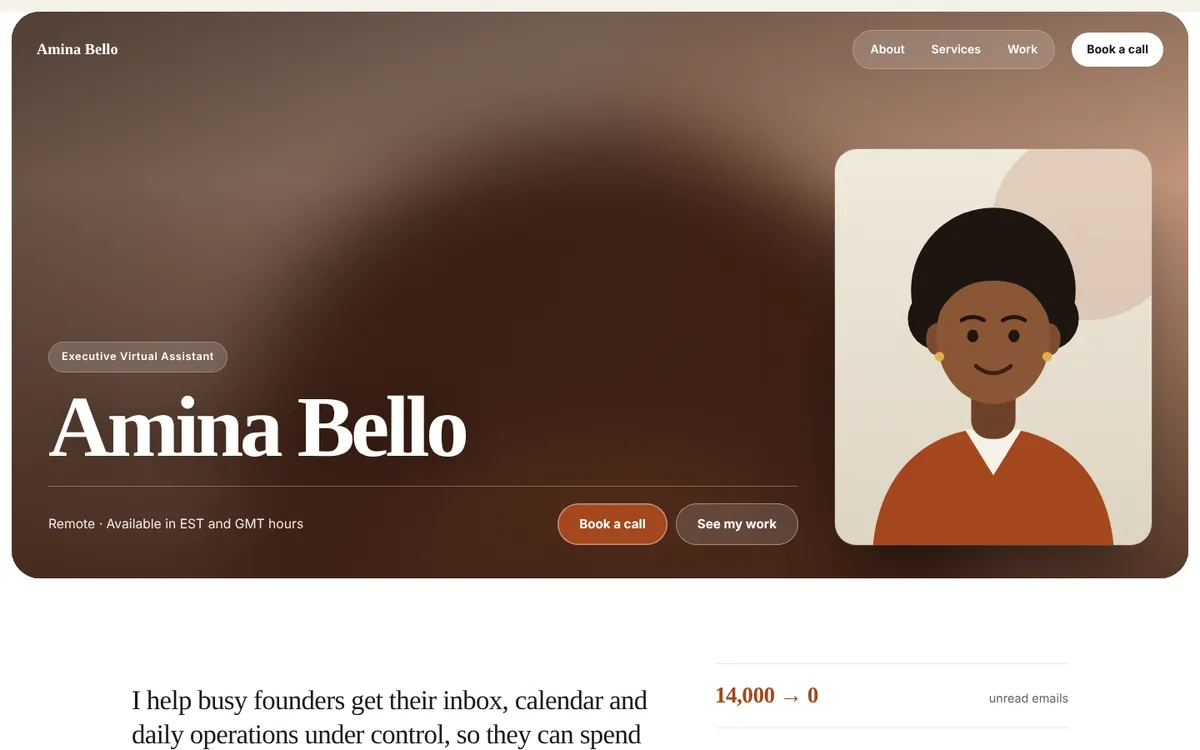
6. Vista: cinematic, with a big photo
Your photo fills the top of the page with your name across it, like a magazine. It works best when you have a strong, well-lit photo and want clients to feel they're meeting a person, not reading a CV.
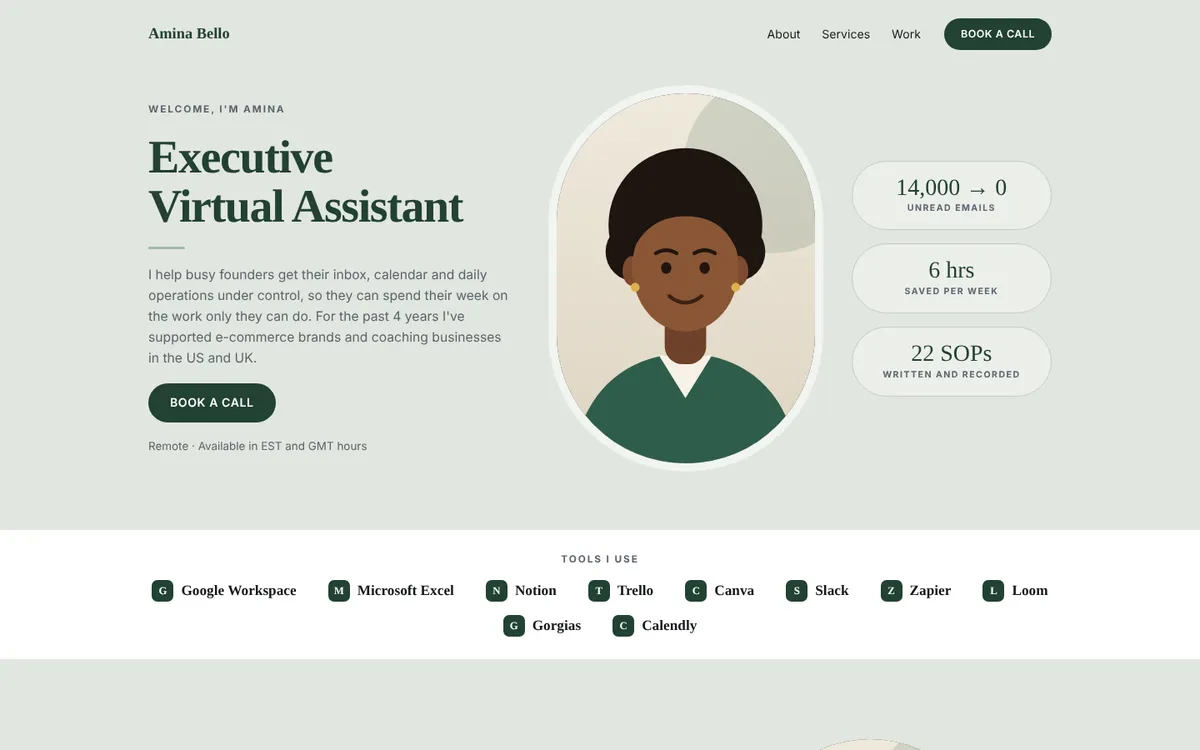
7. Haven: calm and earthy
A soft green palette, a tall pill-shaped photo and your results shown as small badges next to it. It feels calm and trustworthy, which suits wellness, coaching and real estate VAs.
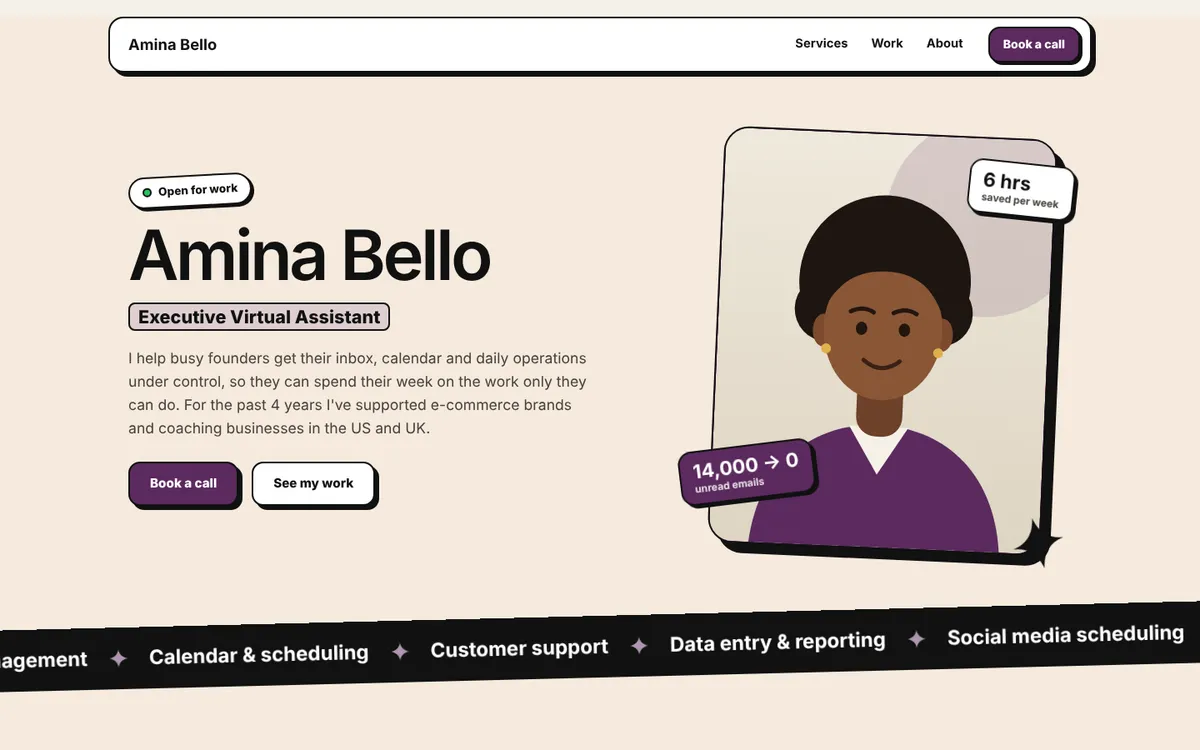
8. Pop: loud and fun
Thick outlines, sticker-style badges and a moving strip of your services. It won't suit a law firm, but for social media, content and e-commerce VAs whose clients are creative brands, it's memorable.
9. Spotlight: light and friendly
An arch-shaped photo, soft colors and big result rows. It's warm and easy to read, and a safe choice for almost any VA.
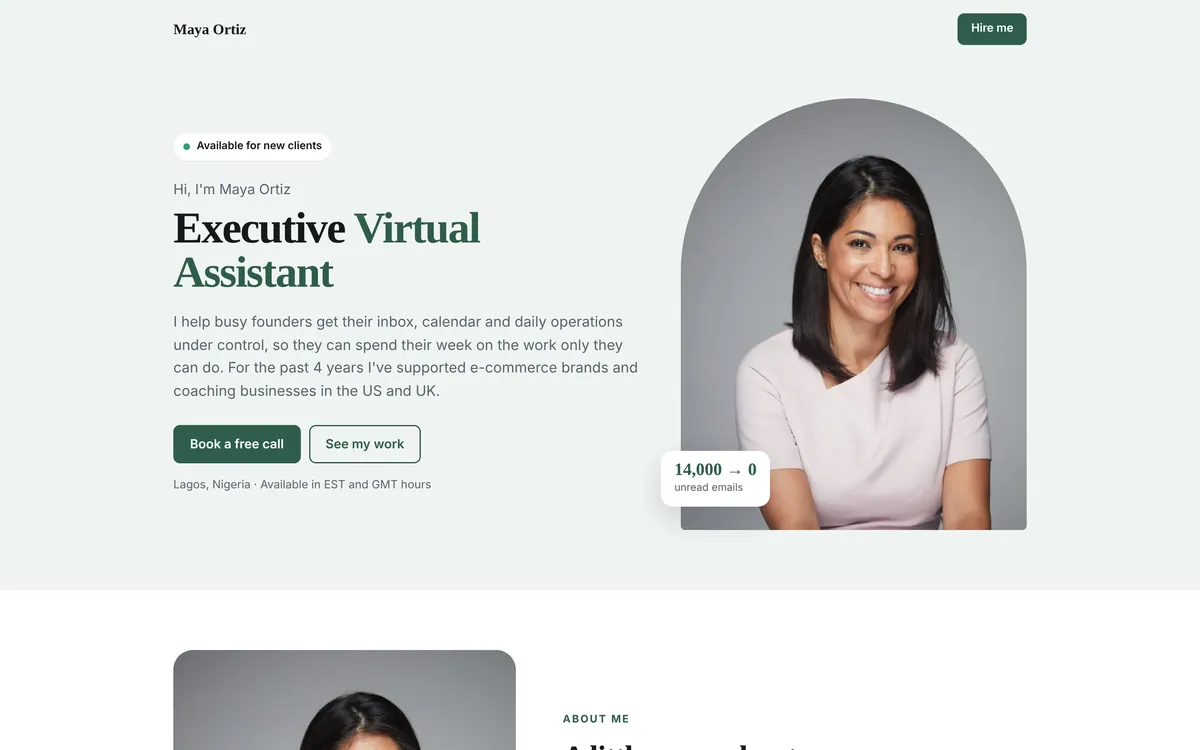
You can see every design, including the ones not shown here, in our guide to choosing a VA portfolio template.
What these examples look like on a phone
Many clients first open your link on their phone, from an email, a LinkedIn message or WhatsApp. A good portfolio example keeps the same order on a small screen: photo, headline, button, then proof. Here are three of the examples above on a phone:
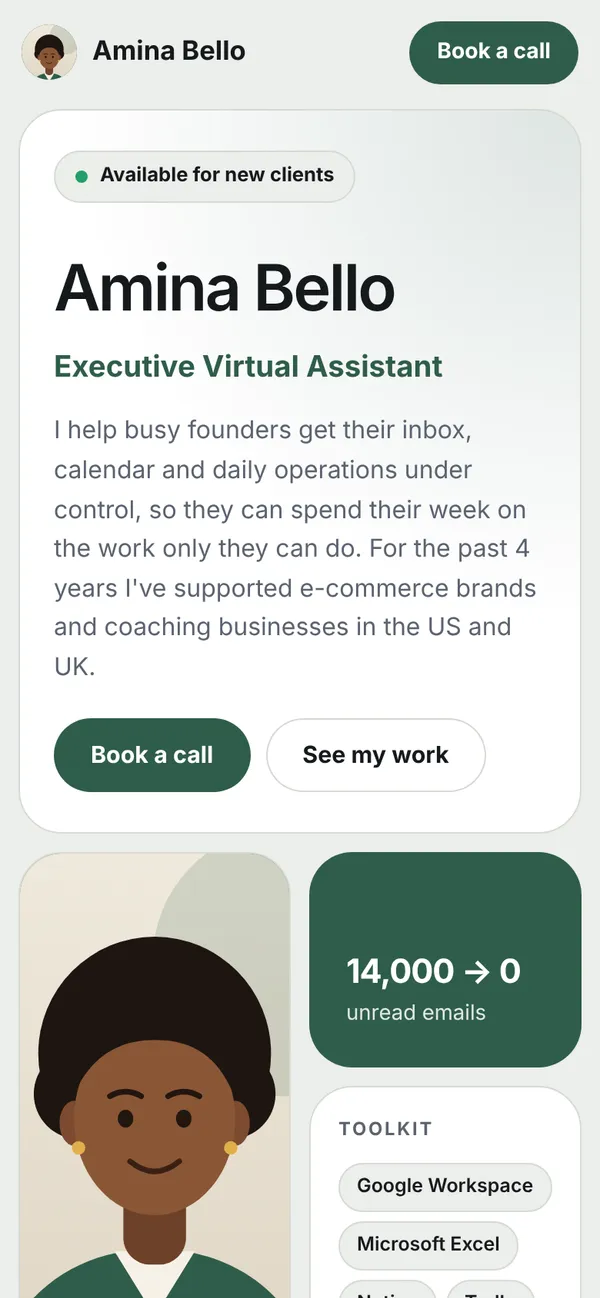
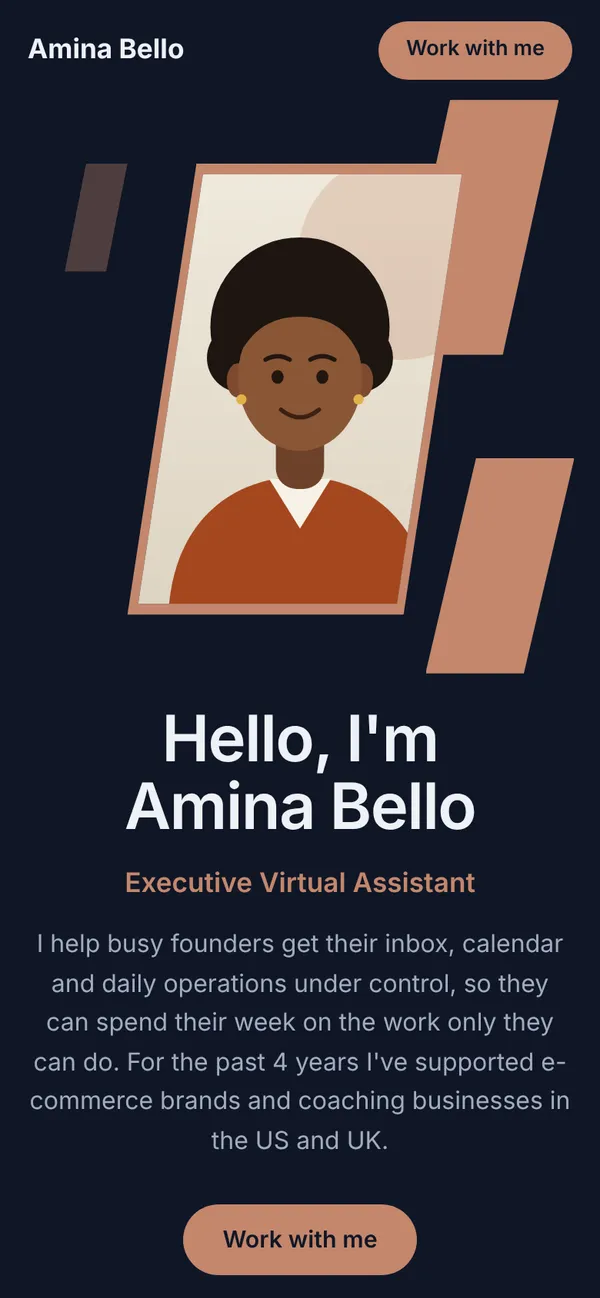
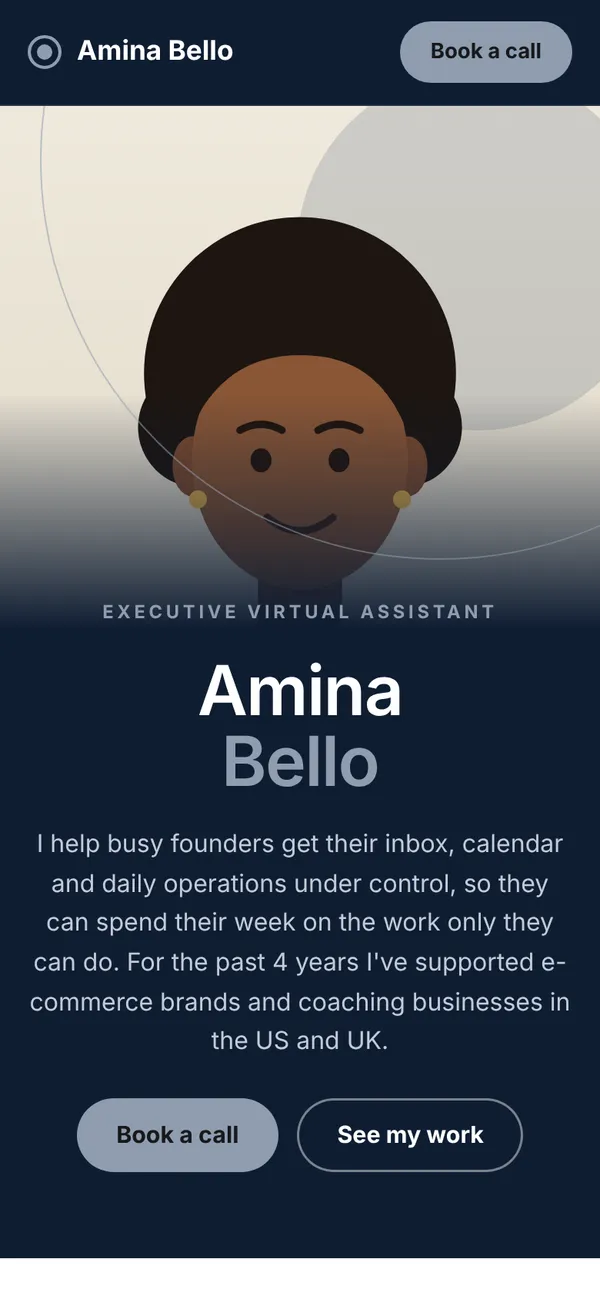
Before you share your own portfolio, open it on your phone and ask: can I tell who this person helps and how to book them without scrolling?
Example headlines you can adapt
The headline under your name is the most important sentence on the page. The best examples all follow this formula:
I help [type of client] with [what you do] so they can [result they want].
Examples by type of VA:
- Executive VA: “I help busy founders get their inbox, calendar and daily operations under control, so they can spend their week on the work only they can do.”
- Social media VA: “I help coaches show up on Instagram and LinkedIn every week, without spending their evenings writing captions.”
- E-commerce VA: “I help Shopify store owners keep orders, customer emails and product listings running smoothly, so they can focus on growing sales.”
- Real estate VA: “I help real estate investors follow up with every lead and keep their CRM up to date, so no deal slips through the cracks.”
- Customer support VA: “I help online businesses answer customers quickly and kindly, so reviews stay high and refunds stay low.”
- Bookkeeping VA: “I help small business owners keep their books clean every month, so tax season is a non-event.”
Going deeper on one niche? See our guides to a social media VA portfolio and an e-commerce VA portfolio.
Example service descriptions
Weak portfolios list services as single words. Strong ones say what the client gets. For example:
- Instead of “Inbox management”: Labels, filters and reply templates. Your inbox at zero by Friday, every week.
- Instead of “Calendar management”: Meetings booked, rescheduled and confirmed across time zones, without the back-and-forth.
- Instead of “Social media”: A month of posts designed in Canva and scheduled ahead, with captions written in your voice.
- Instead of “Customer support”: Replies to customer emails within hours, with refunds and order problems handled to your rules.
- Instead of “Data entry”: Clean, organized spreadsheets and a weekly report you can read in two minutes.
Example work samples
A work sample needs more than a screenshot. Each one in the examples above answers three questions: what was the task, what did you do, and what changed? Here are three you can model yours on:
- 14,000 → 0 unread emails. “Cleared a founder's inbox in 9 days. Built a label system and 12 reply templates so the inbox stays manageable after the cleanup.”
- 6 hours saved per week. “Weekly sales dashboard for a Shopify store. Replaced manual Monday reporting with a sheet that updates itself from store exports.”
- 22 SOPs written. “Onboarding library for a coaching team. Documented every recurring task with a checklist and a short Loom walkthrough.”
Lead with the result as a short number or phrase, then explain it in one or two sentences. If you don't have client results yet, the same format works for sample projects: see how to make a VA portfolio with no experience.
Example “About me” story
Your story turns a list of skills into a person a client wants to work with. Keep it to three short paragraphs: how you started, who you help now, and what clients get from working with you.
I started as a virtual assistant in 2021, answering customer emails for a small skincare brand. Within a few months I was running their whole inbox, then their calendar, then their weekly reporting. Today I work with founders and small teams who are busy, growing and tired of doing everything themselves. Clients tell me the best part is that they stop thinking about the tasks I handle.
Notice there's no “I'm hardworking and detail-oriented”. The story shows it instead.
How to use these examples without copying
- Copy the structure, not the words. Use the headline formula and the work sample format, but fill them with your own clients, tools and results.
- Pick a style for your clients, not yourself. A real estate investor and a fashion brand respond to different looks.
- Use real numbers only. If you don't have a result yet, describe what you did instead of inventing one. Clients can tell.
- Use your own photo. A clear, friendly photo of your face builds more trust than any graphic.
When you have your first portfolio up, compare it with these examples again. If a client could find your headline, one result and your booking button within five seconds, you're ready to share it. For portfolios built by real VAs, browse Real VA portfolios, and for a full walkthrough, read how to create a virtual assistant portfolio for free.
Frequently asked questions
What does a good virtual assistant portfolio look like?
A good VA portfolio is one page that answers a client's questions in order: who you are and who you help, what services you offer, proof you can do the work (work samples, results, testimonials), the tools you use, and a clear button to book a call. It looks clean on a phone and takes less than a minute to scan.
Are these real virtual assistant portfolios?
The examples in this guide use sample content (a made-up VA called Amina Bello) so you can compare the designs fairly. For portfolios made by real virtual assistants, see our Real VA portfolios page at vaportfolio.com/examples.
Can I use one of these portfolio designs for free?
Yes. 6 of the designs are free on VAPortfolio, and you can try all 24 in the editor preview. You add your own photo, words and work samples, pick your color and fonts, and publish with your own link.
Where can I see a sample virtual assistant portfolio for beginners?
Every example in this guide opens as a full sample portfolio you can scroll through, and all of them work for beginners: the structure matters more than years of experience. If you have no clients yet, swap the results and testimonials for labelled sample projects and references from past jobs, as our no-experience guide explains.
How many work samples should a VA portfolio have?
Two or three strong samples are enough to start. Quality matters more than quantity: one clear before-and-after with a result beats five screenshots with no explanation. The free VAPortfolio plan has room for 3 work samples.
What if I don't have any work samples yet?
Create sample projects: realistic tasks you complete on your own, like organizing an inbox for an imaginary business or building a content calendar. Label them honestly as samples. Our guide to making a VA portfolio with no experience has ideas for every service.
Should my VA portfolio be a website or a PDF?
A web page with its own link works better for most VAs. Clients can open it in one tap on any phone, you can update it any time without resending files, and it can show videos and booking buttons. A PDF is useful as a backup for job applications that ask for an attachment.